- User research and flows
- Information architecture
- Wireframes
- High-fidelity UI design
- Interactive prototypes
- Design systems and handoff
 Design
What we offer
UI/UX Design
Good UI/UX design makes a website or app feel obvious to use. Visitors find what they need, understand what to do next and trust what they see. We design interfaces for websites, web apps and mobile apps, starting from how your users think and what they are trying to do, then shaping layouts, flows and visuals that make those tasks easy.
- Easier to use, easier to trust
- Fewer development surprises
- Thoughtful quality assurance
- Clear final handover
What's included
What our UI/UX design service covers
User research and flows
We understand your users and their goals, then map the steps they take so every screen supports a real task.
Information architecture
Navigation, page hierarchy and content grouping organised so people can find things without thinking.
Wireframes
Low-detail layouts that let us agree on structure and priorities before spending time on visual polish.
High-fidelity UI design
Polished screens in Figma with your brand colours, typography, icons and imagery, designed for mobile and desktop.
Interactive prototypes
Clickable prototypes you can test with real people and share with stakeholders before development begins.
Design systems and handoff
Reusable components, styles and clear specs so developers build exactly what was designed.
What is the difference between UI and UX?
UX (user experience) is about how something works: the steps, the structure and how easy it is to get a task done. UI (user interface) is how it looks: layout, colour, typography and visual detail. A beautiful interface with a confusing flow still loses users, and a logical flow that looks untrustworthy does too. We design both together.
What we design
- Business and marketing websites.
- Web apps, dashboards and SaaS products.
- Mobile apps for iOS and Android.
- Redesigns of existing products with usability problems.
- Checkout, booking and onboarding flows.
Design that developers can build
Because we also develop websites, our designs are practical to build. Components are consistent, spacing follows a system, and every state, such as hover, error, empty and loading, is designed, so nothing is left to guesswork during development.
How we work
Our UI/UX design process
- 01
Discover
We review your product, users, competitors and goals, and identify the key tasks to design for.
- 02
Structure
We map user flows and information architecture, then create wireframes for the main screens.
- 03
Design
We create high-fidelity screens and a component library in Figma.
- 04
Prototype and test
We build a clickable prototype, gather feedback and refine the design.
- 05
Handoff
We prepare specs and assets and support developers during the build.
Tools we use
FigmaFigJamAdobe IllustratorAdobe PhotoshopFramerLottie
Why choose BrandPixo
Interfaces people understand at first glance.
We combine strategic clarity with high-end execution, so the finished work feels distinctive, performs reliably, and stays useful as your business grows.
Senior-led expertise Tailored strategy Refined creative craft Results-oriented delivery
From the journal
Helpful reading


Selected work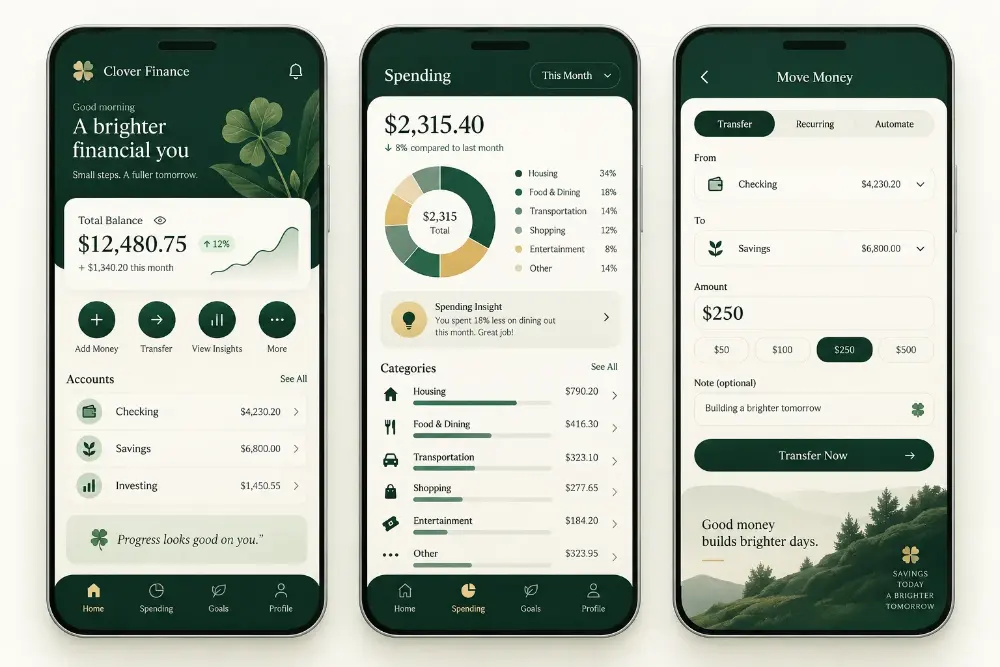
 View all work
Projects we have designed and built
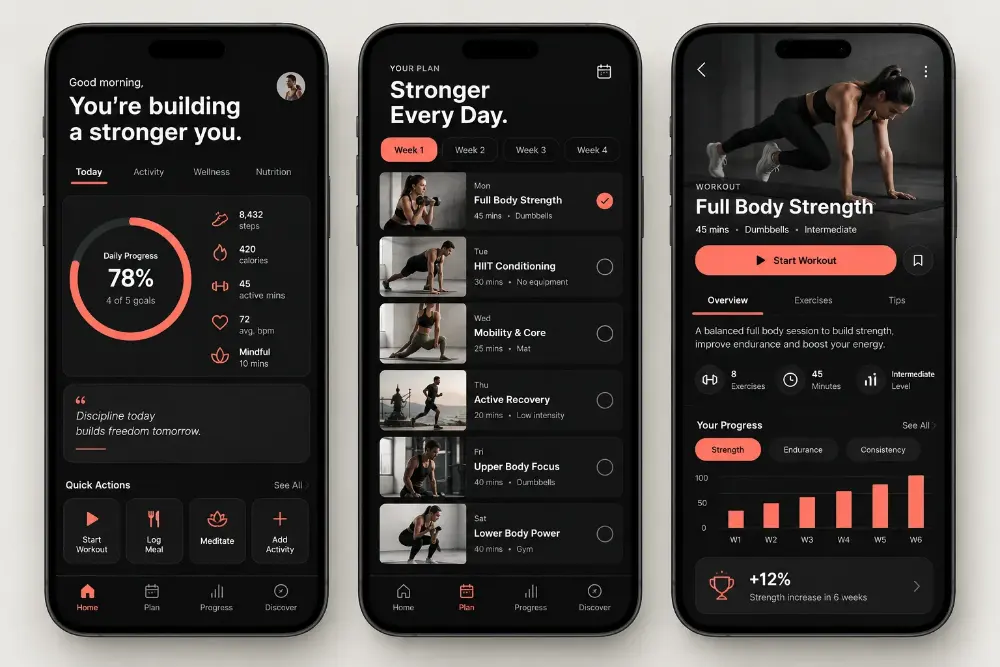
Fitness mobile appPulse Habit
Finance mobile appClover Finance
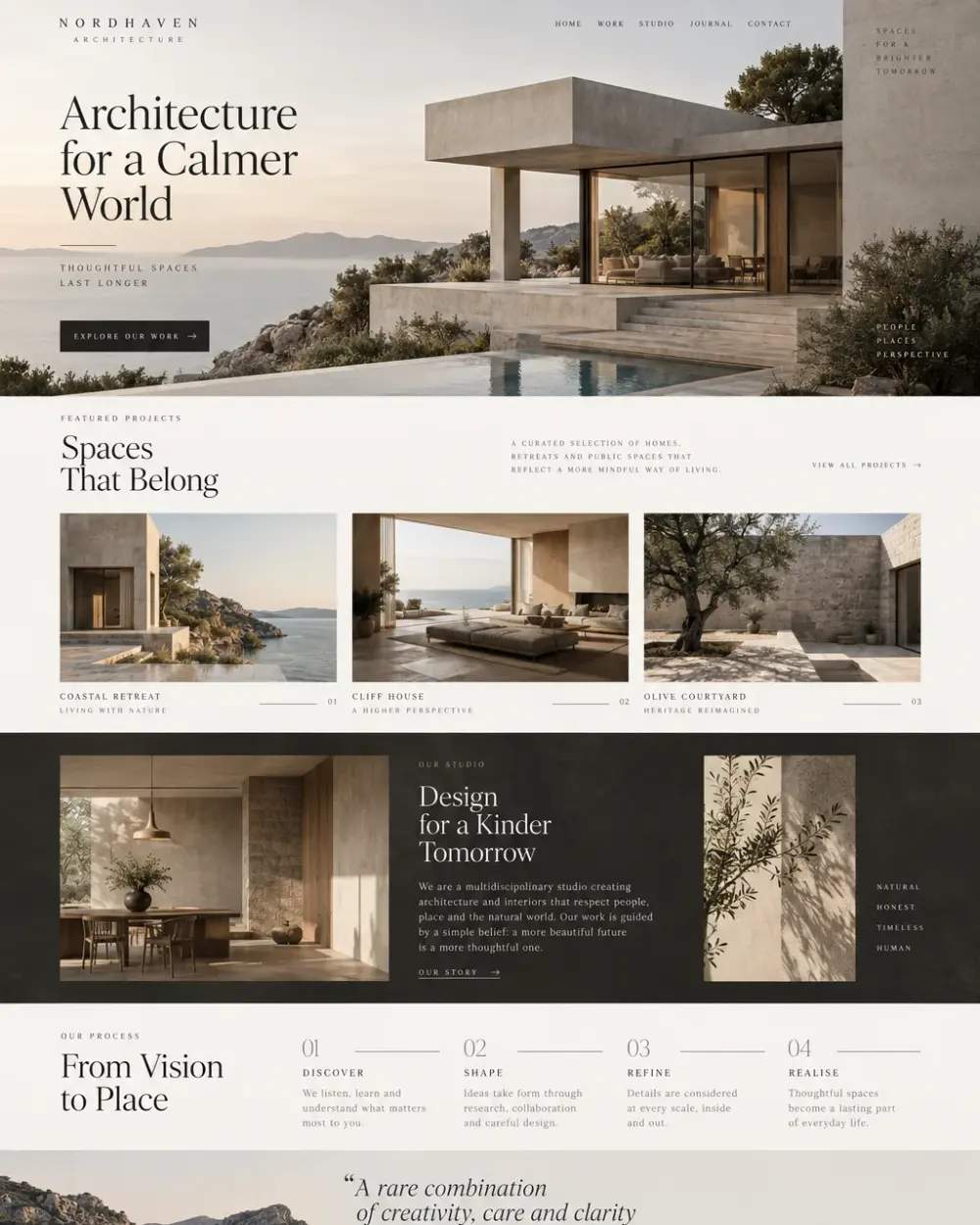
Architecture & interiorsNordhaven Architecture
FAQs
Frequently asked questions
You receive Figma design files for all agreed screens, a component library, a clickable prototype and developer-ready specs and assets.
Build with BrandPixo
Is your business ready for the digital leap?
Let’s shape a premium digital experience around your next stage of growth.